
Infinite painter
Sean Brakefield



DESCRIPTION
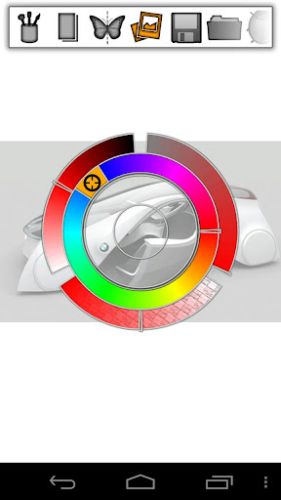
Imagine. Create. Experiment in the natural artistic environment of Infinite Painter. This app offers a variety of brushes for creating realistic environments. It works well with the Infinite Design app, which allows you to export designs from Infinite Design to Infinite Painter. There are five different symmetry types you can use (X-axis, Y-axis, arbitrary angle, radial, and kaleidoscope). The app uses an intelligent menu system, making creating drawings much easier. Navigation is simple: simply tap the screen with two fingers and drag the canvas or zoom in. The auto-save feature is also very convenient; it automatically saves your layers and reloads them when you reload. You can save your project, and all your layers will remain intact. You can also save your image with a transparent background. In addition to these basic features, the app offers four different ways to import images (camera, gallery, Google Image Search, and current image). After importing your image, you can translate, resize, rotate, flip, or recolor it to your liking. Afterwards, you can stamp or erase any excess image on the canvas. This app was designed specifically for the Galaxy Note. Note that pressure sensitivity support allows users to use the built-in brushes, which Samsung developed specifically for the Note, without the need for a non-destructive layer. Infinite Painter also features a dedicated blending button, allowing you to easily switch between painting and blending modes. Main characteristics: -Six layers and unique layer features: merge, flip, duplicate, and a special Galaxy Note layer. - Carefully designed brushes that recreate realism. -Five types of symmetry: X and Y axes, arbitrary angle, radial and kaleidoscopic. -Saving layers and the ability to save images with transparency for easy use in Photoshop. -Relatively simple menu system. -Import images from all over the internet using Google Image Search. - An interface that is fully optimized for the Samsung Galaxy Note **Made specifically for the SPen Galaxy Note**