
Home Sweet Garfield LW
Web Prancer

DESCRIPTION
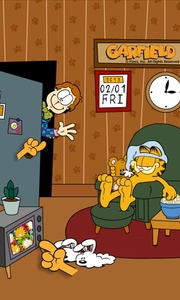
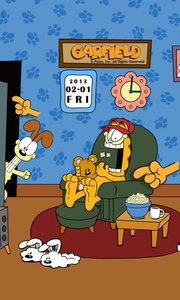
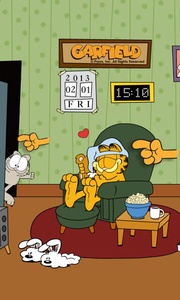
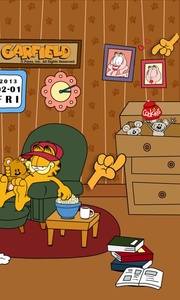
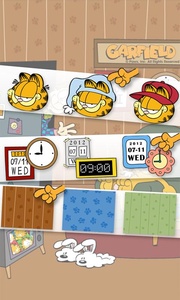
Watch and interact with Garfield as he spends a lazy day on your homescreen! Relax and have fun with everyone’s favorite fat cat – Garfield – as he gets comfy in the home screen of your device! Home Sweet Garfield Live Wallpaper follows Garfield through his lazy day: hugging Pooky, eating popcorn, taking a nap … all in the comfort of his home. Relax with the flabby tabby and take a break from your hectic daily schedule! Tap on different items to see funny pop-ups! Boredom is not allowed when Garfield is around! Features • The calendar and the clock on the wall show the actual date and time. • Slide left to right to see the full view of Garfield’s room. • Tap on different wall decors to see different funny pop-ups. • Customize your wallpaper in the Settings page. Pop-Ups include the following features: • Random cartoon friends peek in and wave at you when you tap the front door • Tap Garfield and watch him eat some popcorn, or hug his teddy bear extraordinaire, Pooky • Squeak and his gang of mice will pop up and bring out random items as you tap the drawers • Tap the TV set and it will randomly display different TV programs • Tap Arlene’s wall photos. See the portraits shake and hearts flutter • The books on the floor will show classic comic strips from Garfield’s collection ★ HOW TO USE Through the Homescreen: Go to Home -> Tap and hold anywhere on the homescreen -> Tap on Set Wallpaper -> Choose Homescreen -> Tap on Live Wallpapers -> Select and tap Home Sweet Garfield LW from the list -> Tap on Set Wallpaper Or through the settings menu: Open the Menu screen -> Tap the Settings button -> Tap on Display -> Tap on Wallpaper -> Choose Homescreen -> Tap on Live Wallpapers -> Select and tap Home Sweet Garfield LW from the list -> Tap on Set Wallpaper ★ CUSTOMIZATIONS To change the look of the wallpaper from hats to clocks, go to Home Sweet Garfield LW 's Settings and explore the possibilities